
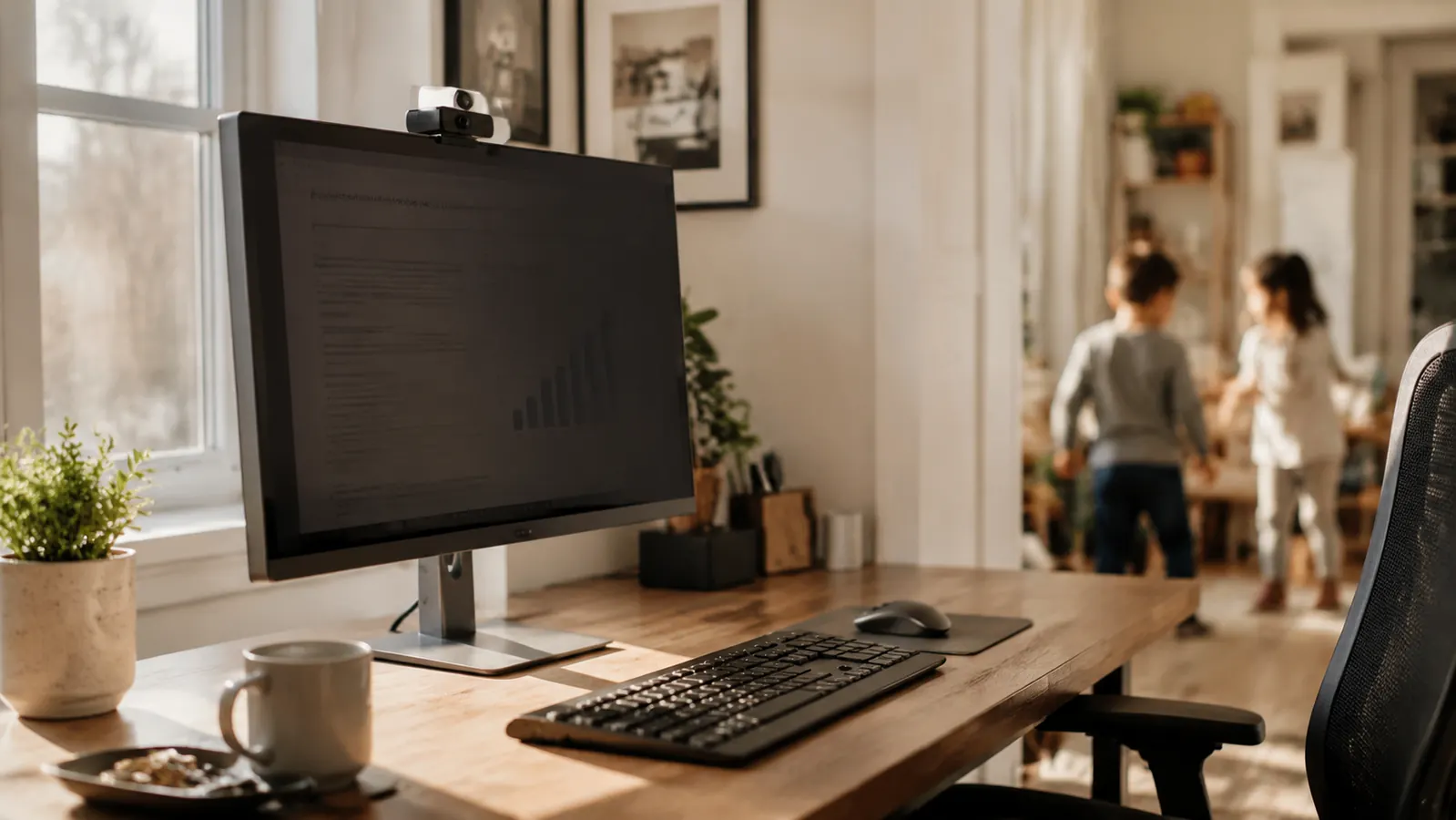
I share my house with my daughter, her husband, and their two school-age kids. My home office is a converted dining room with no door, which means foot traffic all day. In early 2026 I started taking on contract work for a healthcare company where even accidental exposure of client data is a compliance problem. I needed to actually stop the people walking past from reading my screen, not just hope they were not paying attention. That search led me to the SightPro 27-inch monitor privacy screen filter for a 16:9 display, ASIN B07VX98475, listed at a budget-friendly price.
Six months later I have used it at home, at two different coffee shops, and briefly at a shared co-working table at my local library. I have a clear opinion. Here it is.
The Quick Verdict
The SightPro does what it claims: anyone more than about 30 degrees off-axis sees a black screen. The trade-off is real brightness loss and a slight warm tint. Worth it for anyone who handles sensitive data in a shared space. Not worth it if you do mostly design work or color-critical tasks.
Amazon Check Today's Price →Working in a shared space with sensitive data on screen? Here is the filter that actually cuts off the view from the sides.
The SightPro 27-inch privacy screen ships with both adhesive tabs and a removable frame option so you can install it once and take it off when you want full brightness. Over 4,000 verified buyers, 4.3 stars.
Amazon Check Today's Price on Amazon →How I Have Used It Over Six Months
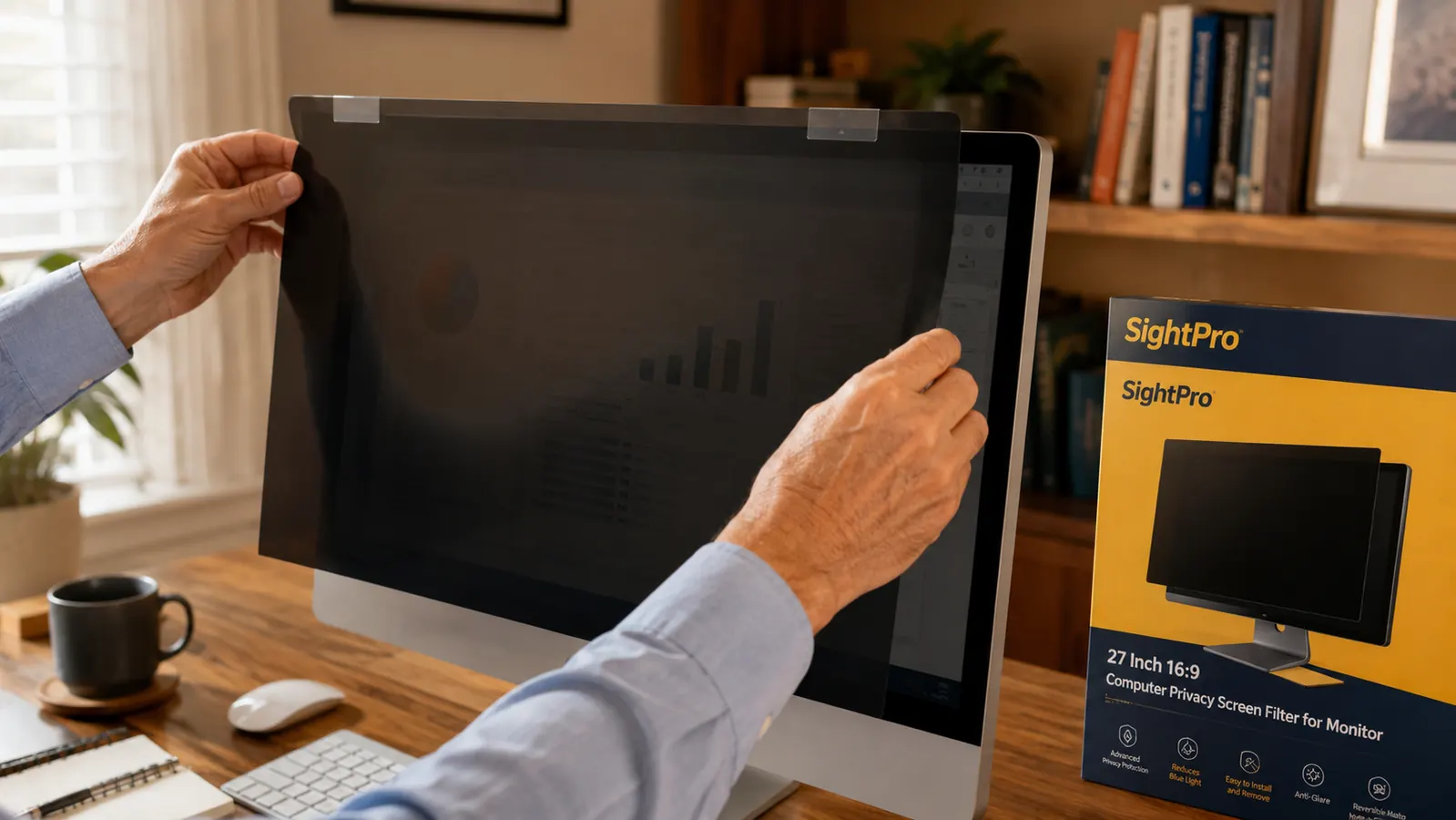
Installation took about twelve minutes the first time. The filter ships with three attachment options: adhesive strips that stick to the bezel, a sliding plastic frame that clips onto the monitor, and a peel-and-stick privacy tab set. I used the adhesive strips on my primary monitor because I leave the filter on full-time. I tested the frame approach at my local library on a borrowed monitor and it held well enough but felt slightly loose on a bezel thinner than my home monitor's.
My primary desk runs a 27-inch 1080p display at its default brightness setting. After installing the filter I had to raise brightness from 55 to 80 to get the same perceived light output. That cost is real and I want to be honest about it. If your monitor is older and already maxes out around 200 nits, a privacy filter on top will make the screen noticeably dim in a well-lit room. My display tops out at roughly 300 nits and at 80 percent brightness I had no problems reading text or working in a browser all day.
At both coffee shops I visited, one a bright window-seat location and one a dimmer interior space, the filter performed well in the interior. The bright natural light at the window-seat location required me to tilt the monitor angle slightly and bump brightness to maximum. That is less about the filter and more about the physics of fighting outdoor ambient glare. Anyone who works regularly in high-sunlight environments should factor that in.
What the Privacy Angle Actually Looks Like in Practice
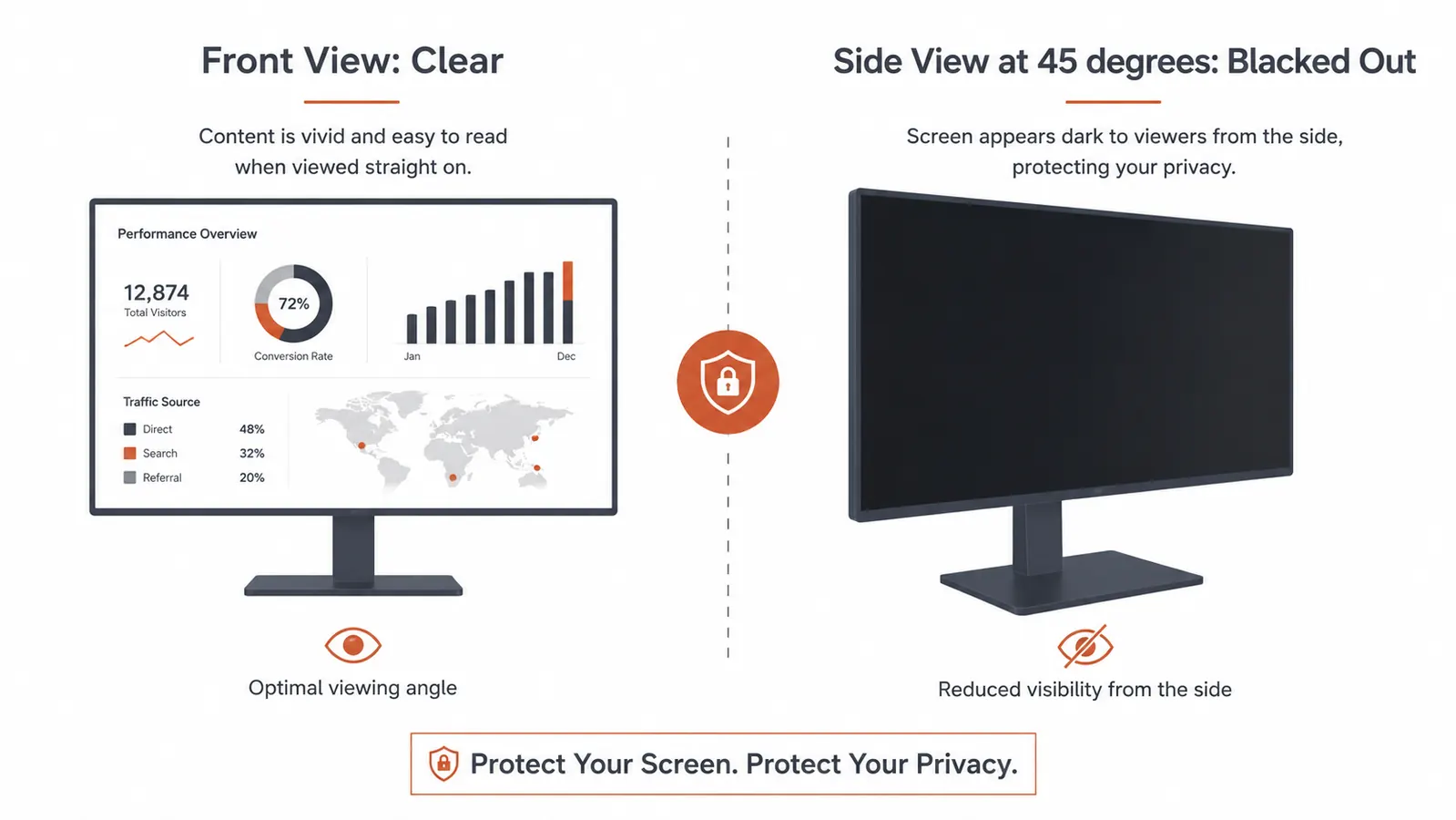
Privacy screen filters work by limiting the light that escapes to your left and right. The SightPro uses a micro-louver technology, basically tiny vertical blinds embedded in the film layer, that cuts off visible content beyond a roughly 30-degree viewing cone from center. I tested this by having my daughter walk past and glance over. At a brisk walking pace, she said the screen just looked dark. Stopped at a 45-degree angle? Completely black. The effect is genuine and more dramatic than I expected from a thin sheet of film.
The SightPro filter also ships with an anti-glare matte surface on one side and a glossy anti-reflective surface on the other. Matte side out is the intended installation for most people. I tried the glossy side out for a week. It reduced eye-strain glare but made reflections worse in rooms with overhead lighting directly behind me. I went back to matte.
At a brisk walking pace my daughter said the screen just looked dark. Stopped and turned? Completely black. That is the whole point, and it actually works.
Fit, Sizing, and the One Thing the Listing Gets Wrong
The product title says 27-inch 16:9. That matters. Monitor filters are sized by the viewable display area, not the outer plastic bezel. A 27-inch monitor typically has a viewable area of about 23.5 inches wide by 13.2 inches tall. The SightPro filter measured 23.5 x 13.2 exactly when I held it against my display. The fit was flush edge to edge with no visible gap.
Where the listing misleads is in the installation photo. It shows the filter installed with adhesive strips along the top only, which looks cleaner. In practice, the bottom of the filter bows forward slightly from the screen surface if you only anchor the top, which creates a small gap that undercuts the privacy effect at low angles. I anchored top and bottom and the bowing went away. This is a minor detail the product page should make clearer. Among the 4,066 Amazon reviews, several one-star reviews describe bowing or gaps, and I believe most of those are single-anchor installations. Use both anchor points.
Color Shift and Screen Brightness: the Honest Numbers
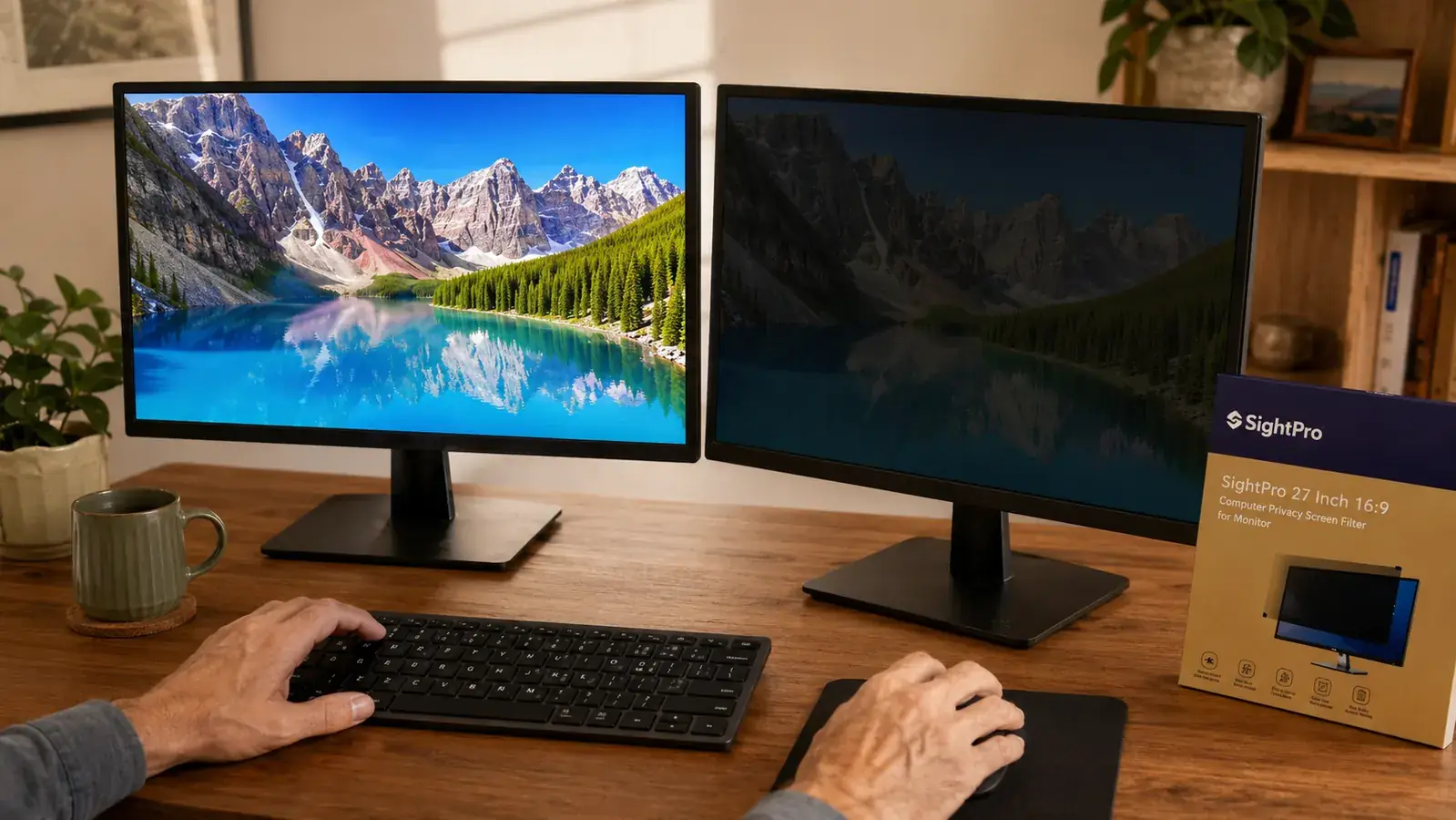
No privacy screen filter is optically neutral. The SightPro reduces perceived brightness and shifts colors very slightly warm. In side-by-side comparison with my unfiltered secondary monitor, whites look like a very light cream rather than pure white. Blues appear slightly muted. For spreadsheets, documents, email, and video calls, this is invisible in practice. For photo editing, color grading, or design work where you are matching brand colors, this is not the filter to use.
I calibrated my monitor with a colorimeter before and after installing the filter. Color temperature shifted from 6500K to approximately 6100K with the filter on. Gamma stayed within 0.1 of the target. If you are a content creator who needs accurate color, the SightPro will introduce enough error to matter. If you are a remote worker handling documents, client records, financial data, or video calls, the color shift is completely irrelevant.

Alternatives I Considered Before Buying
The most common alternative is the 3M Privacy Filter. The 3M product for a 27-inch monitor typically costs more, depending on the finish. That is nearly double the SightPro price. In reviews I found the 3M's privacy angle is comparable at about 30 degrees as well. The 3M has a reputation for better optical clarity, meaning less brightness loss and a more neutral color profile. If color fidelity matters to you, the 3M is likely worth the extra spend. If you are a remote worker doing general knowledge work and you want solid privacy protection at a reasonable price, the SightPro covers the need for considerably less money. I decided the SightPro was the right call for my use case. You can read my full comparison at the SightPro vs 3M Privacy Filter breakdown.
I also briefly tried a physical desk shield, basically a fabric divider panel, as a substitute. It adds bulk to the desk and does nothing for someone looking over your shoulder from directly behind you. The panel approach solves a different problem than a monitor filter does. If your concern is people walking past from the side, a monitor filter beats a panel divider every time.
What I Liked
- Genuine 30-degree viewing cone: anyone off to the side sees a black screen
- Attaches without tools in under 15 minutes
- Both matte and glossy sides included, flip to match your lighting preference
- Removable if you need full brightness for a specific task
- Priced at roughly half of the 3M equivalent
Where It Falls Short
- Brightness drops noticeably, requiring a monitor boost of 15 to 25 percent
- Warm color shift disqualifies it for color-critical design work
- Single-point top-only installation causes bowing: use both anchor points
- Matte surface slightly reduces text sharpness compared to bare glass
Six-Month Durability Report
After six months of daily use the filter has no scratches, warping, or delamination. I have removed and reapplied it three times when transporting my monitor. The adhesive strips left a small residue on one corner of my bezel on the third removal, though it wiped off cleanly with isopropyl alcohol. The film surface itself has survived being packed with a laptop sleeve in a bag twice without visible damage.
The anti-glare coating feels slightly less smooth than it did at day one, which is expected for any matte coating after months of handling. Optical performance appears unchanged. I see no reason this filter will not last another six to twelve months with normal care.
Who This Is For
If you handle any kind of sensitive information at a desk where other people walk by or can see your screen, the SightPro earns its place. That includes remote workers with shared home offices, healthcare workers handling patient data at home, finance professionals with client records visible, and anyone who works at coffee shops regularly. For anyone concerned about the full range of screen privacy risks beyond just who walks past, my guide on stopping screen snooping in an open-plan home office covers monitor positioning, desk shields, and other approaches that work alongside a privacy filter. The SightPro is also a reasonable choice for people who share office space with family members, partners, or roommates and simply want to keep their work browsing private without having to close windows or lock screens constantly.
Who Should Skip It
Skip the SightPro if you do photo editing, graphic design, or video color grading as a core part of your work. The warm shift and brightness reduction will frustrate you. Also skip it if your monitor is already dimmer than average, meaning anything under 200 nits maximum brightness, because the filter will push your screen into uncomfortable territory even at maximum output. If you work solo in a private room and nobody ever has line of sight to your desk, you are paying for protection you do not need. And if you are willing to spend more for optically superior glass, the 3M privacy filter is the benchmark at a higher price point.
Six months in, the SightPro is still on my monitor every day. It is the most affordable way to stop side-glance screen snooping without drilling anything or rearranging your desk.
Ships in multiple sizes. The 27-inch 16:9 version fits most standard desktop monitors. Over 4,000 verified reviews, 4.3 stars on Amazon.
Amazon Check Today's Price on Amazon →