
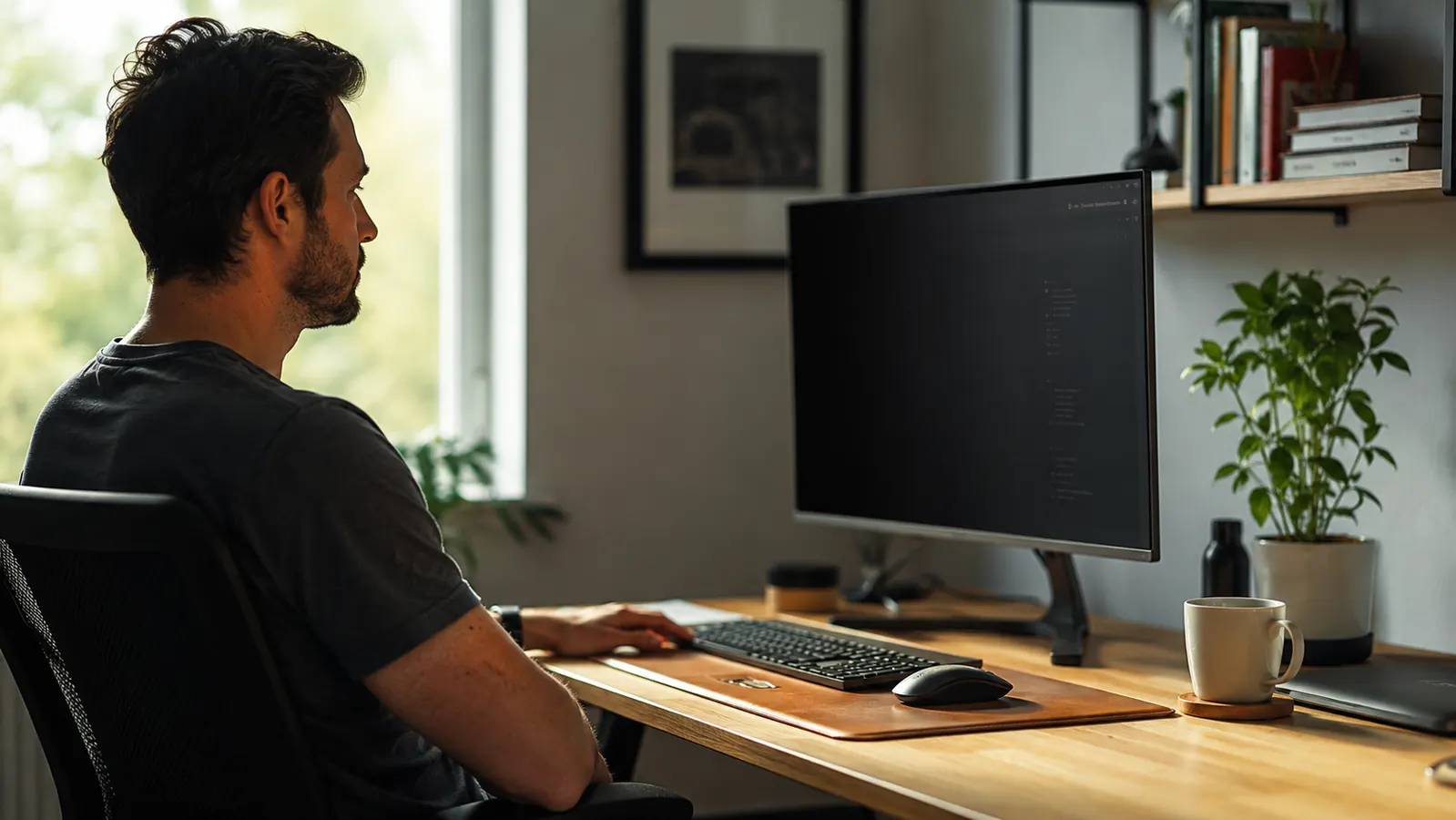
Most remote workers think about shoulder surfing at airports or coffee shops. What they miss is that the threat follows them home. A spouse glancing over, a repairman walking through, a kid doing homework at the kitchen table nearby, a coworker catching your screen during a video call background. The same confidential data that sits exposed on your monitor in a shared open-plan office now sits exposed in a shared living space. I run my consulting work from a home setup that my family of four also occupies, and once I started thinking about what anyone could read off my screen at any given hour, I understood why a privacy filter is not optional for serious remote workers. The one I settled on after testing three options is the SightPro 27-Inch Monitor Privacy Screen Filter, and below are the ten reasons I think every home office worker should have one.
These reasons are not abstract. Each one is a specific scenario where an unprotected screen costs you something real: a client relationship, a compliance violation, a financial record exposed to the wrong eyes, or simply the mental drag of not being able to concentrate because anyone passing behind you can read your work.
If any of the 10 reasons below ring true, this is the filter I use on my 27-inch setup.
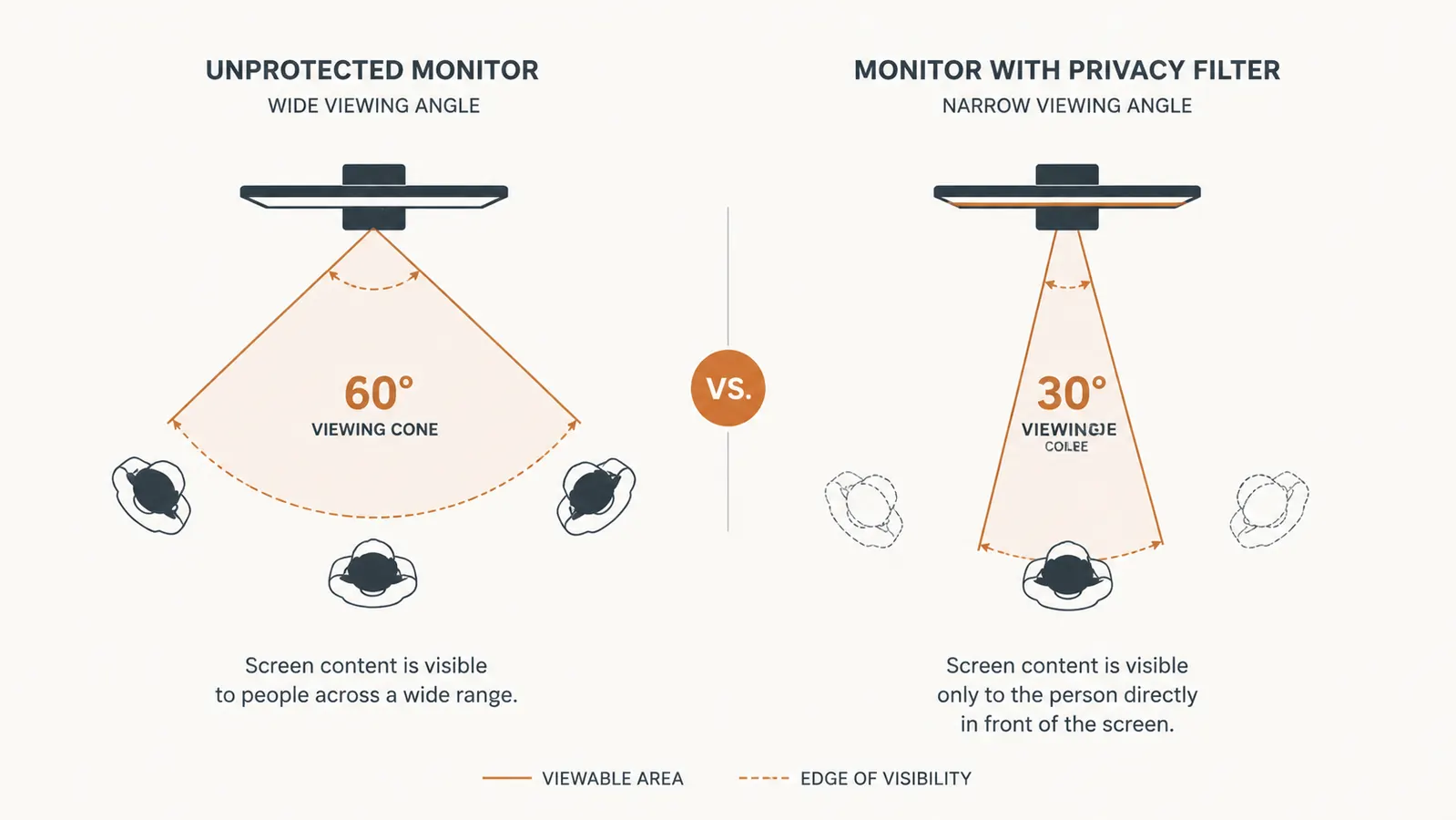
The SightPro 27-Inch Privacy Filter narrows your screen's visible angle to roughly 30 degrees left and right. Anyone not sitting directly in front of your monitor sees a dark screen. Rated 4.3 stars across 4,066 reviews. Check today's price on Amazon.
Amazon Check Today's Price on Amazon →Your family shares your space, not your client confidentiality agreement
A spouse walking past to grab coffee does not need to read your client's salary data or your company's unreleased product roadmap. The NDA you signed covers anyone who reads that screen, including the people you live with. A privacy filter means nobody who is not sitting in your chair can read it, period.
HIPAA and compliance rules do not stop at your front door
Healthcare workers, HR professionals, legal staff, and financial advisors working from home are subject to the same data protection regulations they follow in the office. If your state or employer requires visual privacy protections for protected health information or confidential records, that obligation applies at your home desk too. A monitor filter is the cheapest compliance measure you can add.
Video call backgrounds expose more than you think
When your monitor is visible in a camera's field of view during a screen share or a second-device video call, other participants can sometimes read reflected or partially visible content. Even without direct reflection, having a second screen angled in the background during a call can leak information. A filter shuts this down completely for anyone not sitting at that screen.
It blocks blue light as a bonus, which matters after 8 hours at a screen
The SightPro filter reduces blue light emission in addition to narrowing the viewing angle. If you are logging long hours at the monitor every day, that blue light reduction adds up to less eye fatigue by end of day. It is not the primary reason to buy a privacy filter, but it is a real benefit that a bare monitor does not give you.
Financial accounts and banking sessions deserve the same protection as client files
People who would never leave their bank statement face-up on the kitchen table leave their online banking, brokerage account, or tax return wide open on a 27-inch monitor. A privacy filter treats your personal finances the same way you treat your professional work: nobody gets to read it by accident.
The same data you protect at the office deserves the same protection at home. The address is different; the risk is not.
Contractors, repair workers, and delivery people come through your home office
The IT contractor who comes to fix your router, the handyman doing work in an adjacent room, the delivery driver who gets a line-of-sight angle on your desk as you sign for a package. Each of these people can see your screen if there is nothing protecting it. A privacy filter eliminates that exposure in the time it takes to walk past.
It cuts glare on windows and overhead lighting so you can actually read your own screen
The anti-glare coating on most privacy filters, including the SightPro, reduces surface reflection from overhead lighting and windows. If your home office setup puts natural light behind or beside your monitor, a filter can visibly reduce the washout effect. This is a functional benefit that makes the screen easier to read from your own direct-facing position.

It gives you concentration back in an open-plan home
There is a low-grade mental overhead to working in a visible space: the awareness that someone might see what you are working on. It creates a kind of self-consciousness that fragments focus. A privacy filter removes that awareness entirely. You know nobody can read your screen, so you stop thinking about it and start working.
Installation takes about four minutes and requires no tools
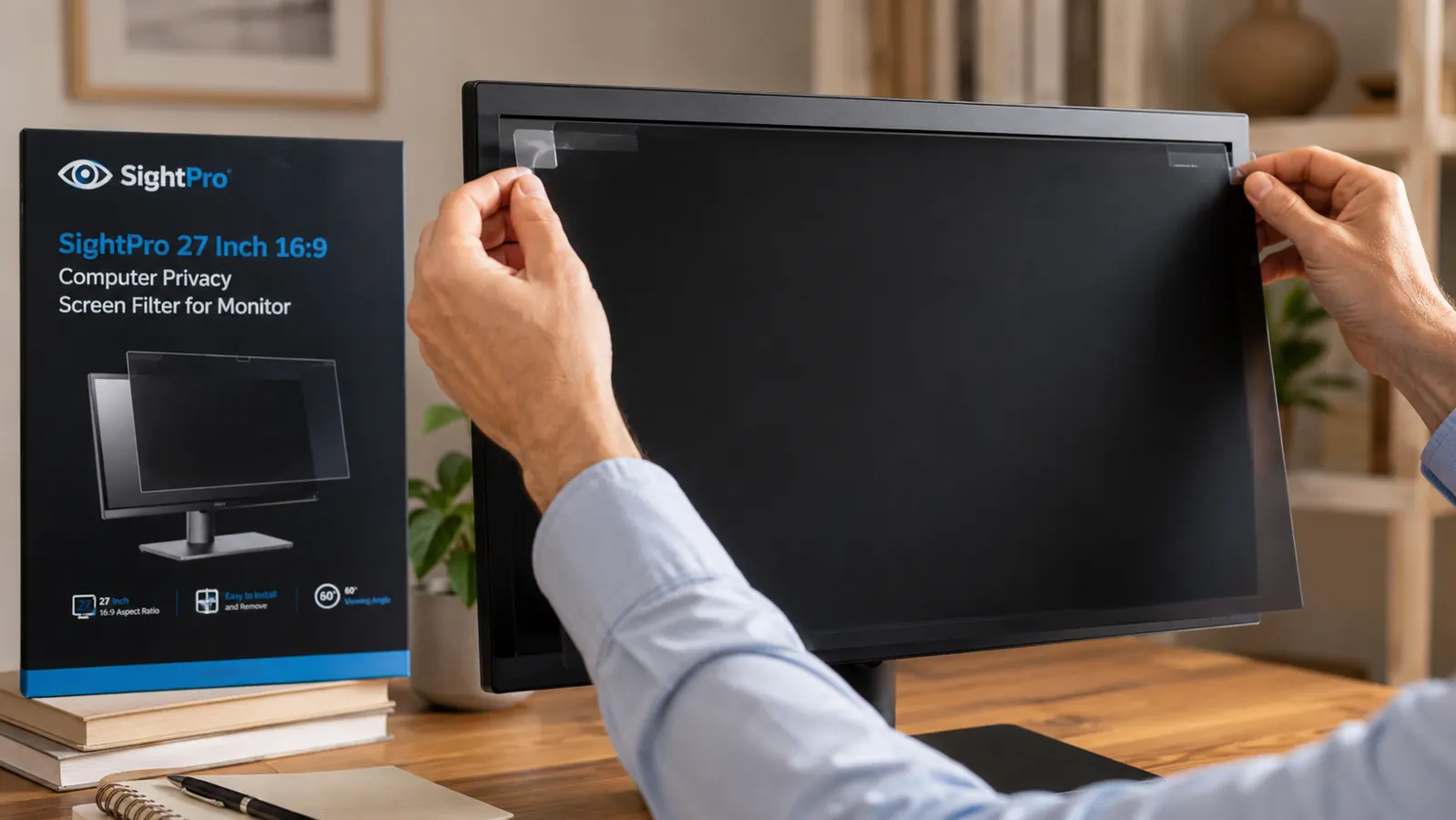
The SightPro attaches with either adhesive strips or slide-on tabs at the top edge. There is no drilling, no monitor modification, and no permanent commitment. I switched between attachment methods in under five minutes when I reconfigured my desk. If you have ever avoided a useful accessory because setup was annoying, this one will not give you that excuse.
It is cheaper than one data breach, one compliance fine, or one lost client
At a budget-friendly price for a 27-inch filter, the SightPro costs less than most people spend on a desk plant. A single privacy incident at work, whether that is a compliance violation, an embarrassing leak of client information, or a screenshot taken by someone who should not have seen your screen, costs more in repair time, professional reputation, and potential fines than a year of privacy filters. The math is not close.
What I'd Skip
If your home office is a fully private room with a door that stays closed, and your work does not involve regulated data or client-confidential information, a privacy filter is a nice-to-have rather than a must-have. I would also skip it if you regularly use your monitor for color-critical design work. Privacy filters do dim the screen and shift colors slightly when viewed from a direct angle, which matters for photo editing or graphic design. For everything else, including document work, video calls, spreadsheets, and web browsing, the tradeoff is worth it without reservation.
A privacy filter is not a paranoia product. It is just the monitor equivalent of closing a door.
If you want a deeper look at how the SightPro holds up over time, including how it ages, whether the anti-glare coating stays clean, and how it handles 4K monitors, read my six-month SightPro privacy screen review. For a head-to-head with a competing filter, see my honest review of the SightPro covering exactly where it wins and where it does not.
If even three of those ten reasons apply to your setup, the filter pays for itself the first time it matters.
The SightPro 27-Inch Monitor Privacy Screen Filter is currently rated 4.3 out of 5 stars across over 4,000 Amazon reviews. It fits 27-inch monitors in 16:9 aspect ratio. Installation requires no tools and takes under five minutes. Check today's price before the listing changes.
Amazon Check Today's Price on Amazon →