

Here is the truth about the D-Line cable management box that the product listing does not spell out clearly: it works exactly as advertised for setups inside a specific range, and it fails quietly for setups just outside that range. With 13,000 reviews on Amazon and a 4.5-star average, the collective wisdom is mostly positive. But the problems people run into are predictable, consistent, and entirely avoidable if you know what to check before you buy. I tested the D-Line box in my own home office, and then I dug through the one-star and two-star reviews to find the patterns. This article is about what those patterns reveal.
The D-Line cable management box is affordably priced on Amazon. Its primary job is to swallow a power strip and the cord tangle around it, then present a single clean enclosure that you either park on a shelf or adhere to the underside of a desk. If you are skeptical about whether a plastic box at that price can actually make your desk look professional, I get it. I was too. The answer is yes, it can, and I will show you exactly when and why it works and when it does not.
The Quick Verdict
A genuinely effective cord-hider for standard home office setups. Gets tripped up by oversized power strips, thick cord bundles at the exit slots, and buyers who skip measuring before ordering.
Amazon Check Today's Price →If you have measured your power strip and it is under 13 inches, this box is almost certainly worth it.
The D-Line cable management box is budget-priced on Amazon. Check the current price and make sure you order the right color for your desk before hitting buy.
Amazon Check Today's Price on Amazon →How I Tested: My Setup and What I Was Looking For
My home office desk is a 55-inch sit-stand unit with a lower crossbar shelf about 6 inches above the floor. Before testing the D-Line box, I had a six-outlet surge protector (Belkin, standard 12-inch body) sitting on that shelf with its power cord snaking to a wall outlet, plus cords running up to a Dell 27-inch monitor, a MacBook charger, a USB-C hub, a LED desk lamp, and a wireless charging pad. Seven plugs occupied, four cords visible above the shelf. I wanted to cut visible cords to one or two and make the under-desk area look intentional.
I ordered the white D-Line box. The setup took about six minutes, mostly spent untangling the cords already on the shelf. The box handled my Belkin surge protector without complaint: the 12-inch body fits with about an inch of clearance on each side. For testing purposes I also borrowed my neighbor's 15-inch power strip (an 8-outlet Tripp Lite) and tried to fit that in. It did not fit. That is not a knock on D-Line; the box is not designed for an 8-outlet strip. It is important information if you own one.
The Lid-Gap Problem: What Actually Causes It and How to Avoid It
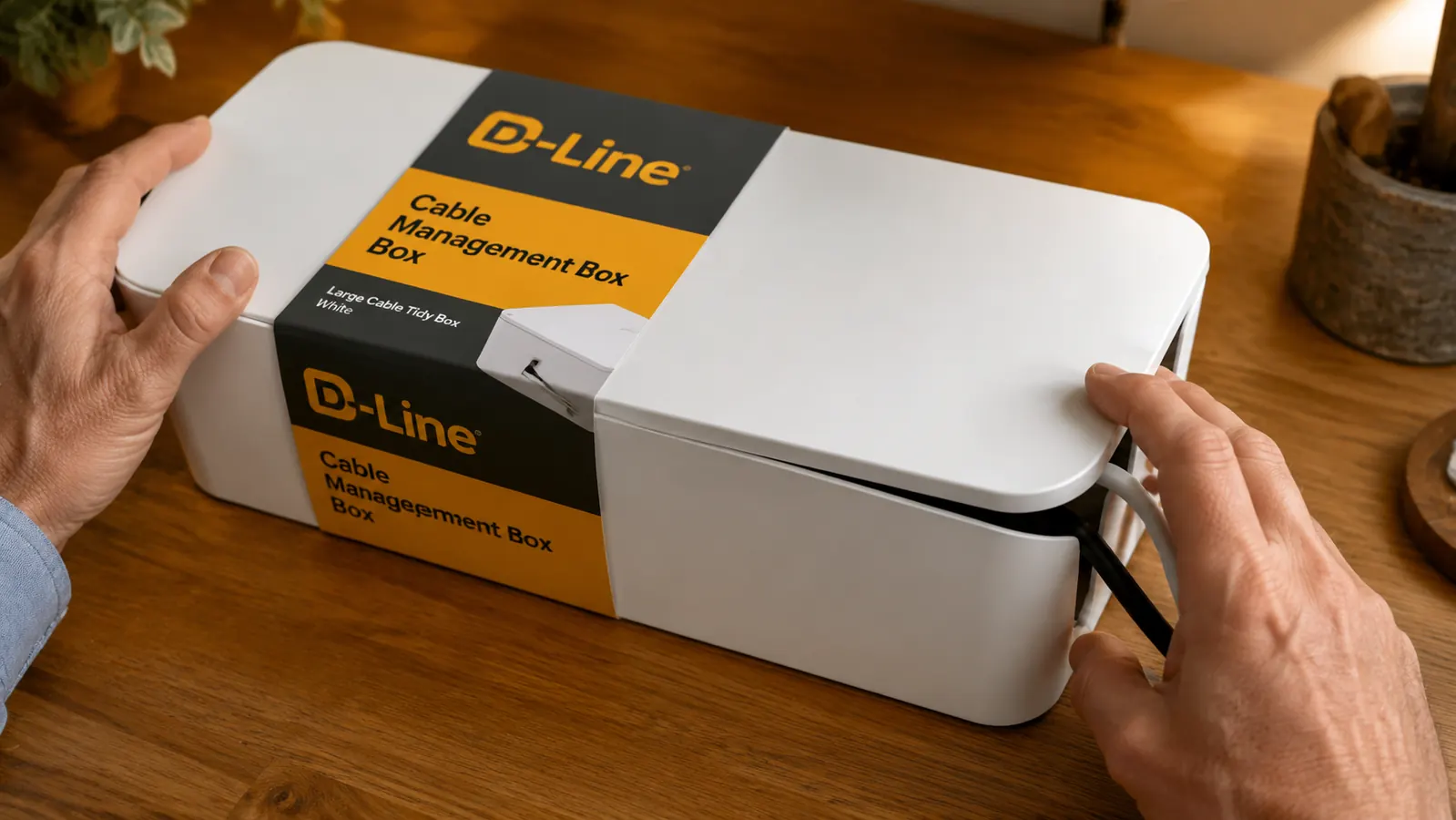
The most common complaint in the D-Line reviews is the lid not closing flat. After testing this myself and reading through the one-star reviews, I can tell you the cause is specific and consistent: it happens when you route too many cords, or one cord that is too thick, through a single end slot at the same time. The end slots are designed for two to three standard cords (USB-C, standard power cable, monitor cable). When you push four or five cords through one slot, or when one cord is a particularly fat laptop brick cable, the cord bundle lifts the lid on that end by a few millimeters. The lid is not broken. It is just not seating because the cord bundle under it is thicker than the slot was designed to clear.
The fix is to distribute cords more evenly across both end slots rather than routing everything through one end. If you have six cords entering the box from one direction, split them: three through the left slot, three through the right. The lid closes flat when load is balanced. If your physical desk setup forces all cords to enter from one end (for example, your wall outlet is on one side and all your devices are on the other), and you have more than three cords to route, you may need to accept a slight gap or explore a different placement for the box.
Sizing: The Measurement Nobody Does Before Ordering
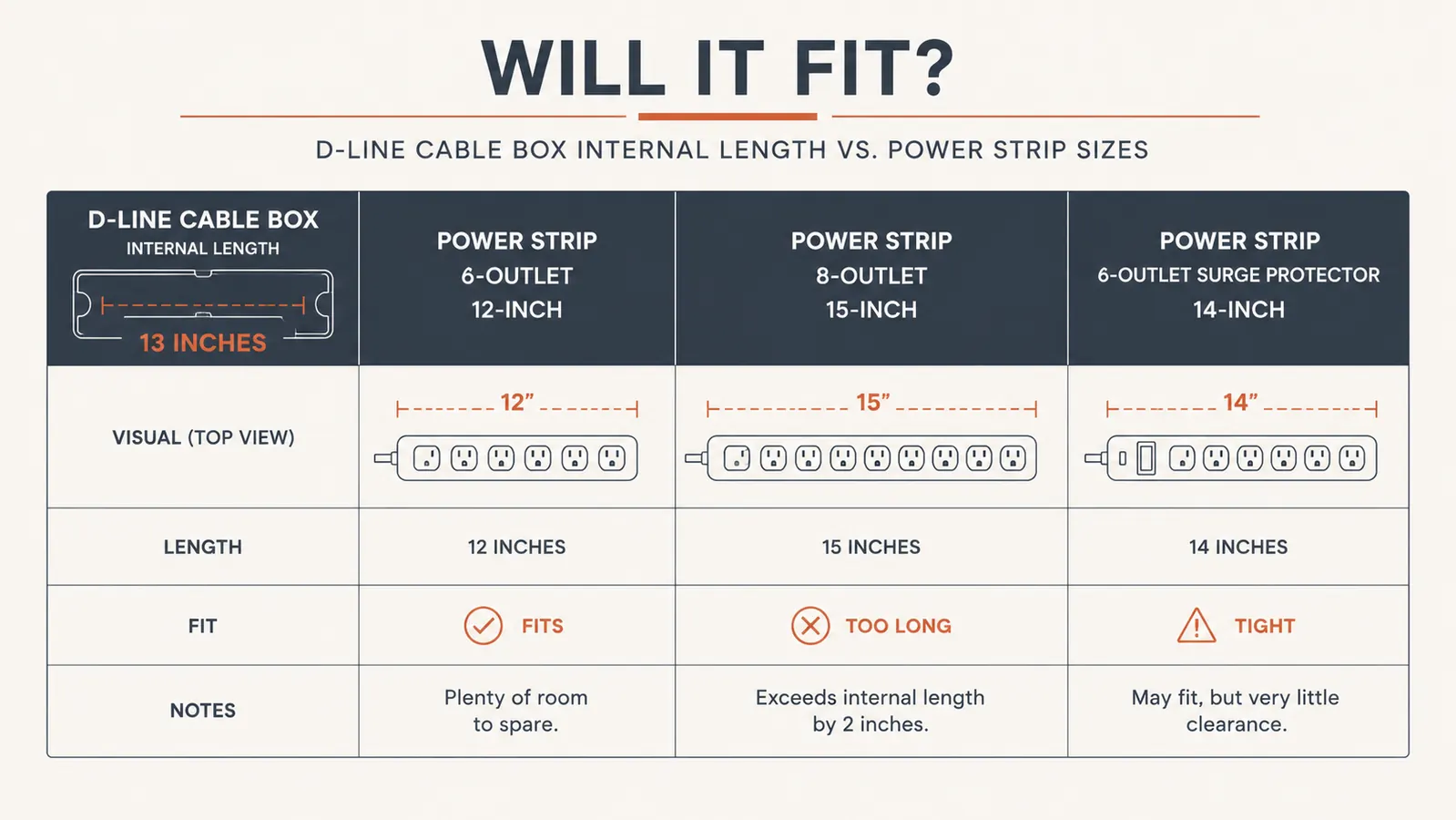
The single fastest way to end up disappointed with the D-Line box is to skip measuring your power strip before you order. The D-Line cable management box has an internal length of approximately 13 inches. Most standard six-outlet power strips with a 2-foot cord run 11 to 12 inches long and fit comfortably. Surge protectors with eight outlets typically run 14 to 16 inches and do not fit. Flat horizontal outlet power strips (the kind with all outlets on the face rather than the side) can fit depending on brand. Heavy-duty strips with built-in USB ports sometimes add 0.5 to 1 inch to the overall body length.
Before ordering, pull your power strip out and measure the plastic body from end to end (not including the cord). If it is under 12.5 inches, you are in good shape. If it is between 12.5 and 13 inches, it will be tight but likely fit. If it is over 13 inches, look at the larger D-Line cable management box, which accommodates strips up to about 18 inches. The listing description mentions interior dimensions but the number gets buried. Measure first and this product almost always does exactly what it promises.
The number-one predictor of a one-star D-Line review: the buyer skipped measuring their power strip. The box is very good at its stated dimensions. It cannot stretch.
Color Choice: The Trap That Is Not Obvious in Listing Photos
The D-Line box comes in white and black. The listing photos show the white version on a clean white desk, which is how most people end up buying white. Here is the thing: that white has a warm slightly cream undertone in real life, not a pure paper white. If your desk is a bright cool white (IKEA Linnmon, for example, is close to pure white), the D-Line box will look slightly off-white next to it. On a wood desk, a gray desk, or any desk that is not bright white, the color reads as clean white and looks fine. If you are placing the box on a bright white desk surface, order the black version instead. It will read as an intentional dark accent rather than a mismatched off-white.
This sounds like a minor point, but it is the second most common complaint I found in the negative reviews: buyers expecting bright white and getting a slightly warm cream. The black version has no such ambiguity. It reads as black in any lighting, on any desk color. If there is any doubt in your mind, order black.
Wall-Mount Holes: What They Are Actually Good For
The D-Line box has two holes molded into the bottom for wall mounting with screws. I want to be upfront: wall mounting this box is not something I would recommend for most home office setups. The holes are small, designed for fairly narrow screws, and the plastic around them is not thick enough to hold the box securely against a wall when the box is loaded with a full power strip and multiple cords. That load is heavier than it sounds, maybe three to four pounds fully populated. I have seen reviews from buyers who wall-mounted the box, came back a week later, and found it had pulled off the wall or was visibly sagging.
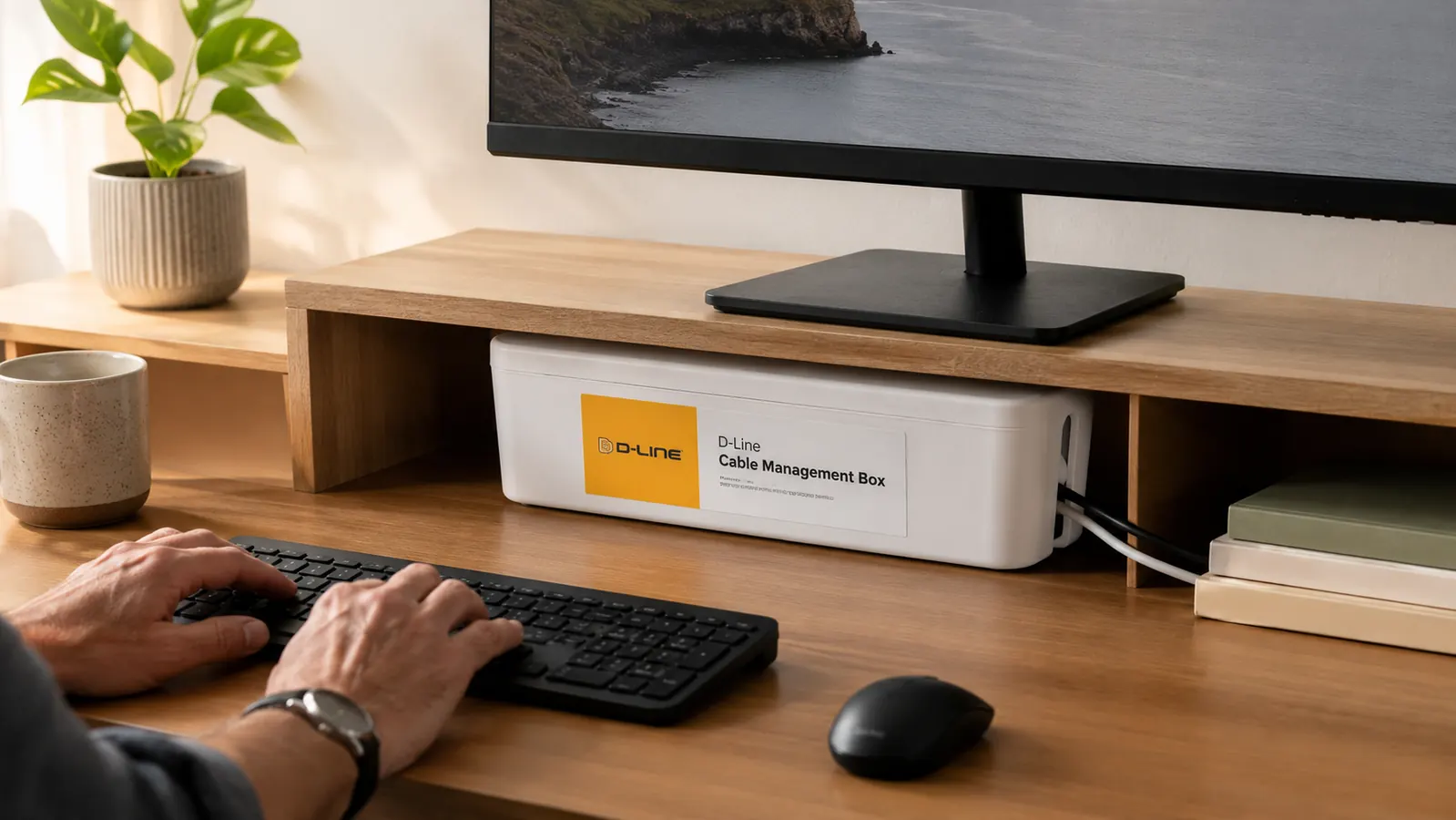
Where the wall-mount holes actually earn their place: under a desk, not on a wall. When you flip the box upside-down and screw it into the underside of a solid wood or MDF desk, the screws bite into a flat horizontal surface that supports the full weight of the box from below. That is a genuinely solid mount. On a vertical drywall surface, the screws are fighting gravity with thin plastic ears. Use the included adhesive strips or command strips for wall placement, or better yet place the box on a shelf where no mounting is needed. The screw holes are for desk-bottom mounting, full stop.
Heat and Airflow: An Honest Assessment
Cable management boxes enclose a power strip in plastic, which reduces airflow around the strip and its cords. Whether that is a problem depends entirely on what you are plugging in. A typical remote-work desk draws 150 to 350 watts total: a laptop charger, a monitor, a lamp, a USB hub, maybe a phone charger. Power strips at that load run barely warm. Enclosing them in the D-Line box does not create a heat problem at normal home office draw. I have used the box for several months with my standard setup and the external surface of the box stays at or slightly above room temperature.
The situation changes if you are using the power strip at or near its rated capacity. If your strip regularly feels warm when it is sitting in open air, do not put it in an enclosed box. If you are running a desktop gaming PC, a space heater, a high-wattage monitor, and multiple fast chargers off one strip, the D-Line box is not the right tool regardless of cord count. For the use case it was designed for, standard home office electronics, heat is not a real concern. The listing does not include ventilation slots and that is a reasonable design choice for the target load.
What I Liked
- Drops visible cord count from six-plus to one or two in under ten minutes with no tools
- Budget-friendly, cheap enough that you lose almost nothing if your power strip does not fit
- Clean finish looks intentional on a shelf or under a desk once cables are routed neatly
- Wide rounded cable exit slots handle a mix of USB-C, standard power, and monitor cables without pinching
- Shelf placement requires zero adhesive and stays put under normal desk use
Where It Falls Short
- Lid gaps when more than three cords, or one very thick cord, are routed through a single end slot
- White version is a warm off-white that mismatches bright cool-white desks
- Wall-mounting with the provided screw holes is unreliable under a full load; use adhesive or shelf placement instead
- Only one standard size: strips over 13 inches do not fit and the listing buries the interior dimensions
- Buyers running high-draw devices should not use any enclosed cable box, including this one

Who Should Buy the D-Line Cable Management Box
Buy the D-Line box if you have a standard home office power strip (six outlets, 12 inches or shorter), moderate device load (laptop, monitor, USB hub, lamp, charger), and a desk with either a lower shelf or an underside you can mount to. The box handles that use case almost perfectly. It is also the right call for anyone who has a video call background that includes a cord pile, wants a fast fix without renting tools or watching tutorials, or is setting up a new home office and wants it to look organized from day one. For the full picture on how this fits into a broader desk cleanup approach, my article on five months of daily use with the D-Line box covers the long-term durability side in more detail.
Who Should Skip It
Skip the D-Line cable management box if your power strip is over 13 inches long, if all your cords necessarily exit from one end and there are more than three of them, if you work from a desk with no shelf and no underside you can mount to, or if you are running high-wattage devices through a strip that already runs warm. Also skip it if your cord situation involves more than one power strip: one box does not consolidate two strips, and buying two boxes rarely looks cleaner than a cable management tray. If you are weighing the box against cable ties and a sleeve, my comparison article on the D-Line box versus velcro cable ties breaks down which approach suits which kind of setup. For most remote workers with a single standard power strip and a shelf to set the box on, the D-Line cable management box is a genuinely good product at a fair price. The traps are easy to avoid if you measure first and match the color to your desk.
Measure your power strip first, pick the right color, and this box will probably do exactly what you need.
The D-Line cable management box is available on Amazon. Check today's price and verify the current color options before ordering.
Amazon Check Today's Price on Amazon →