
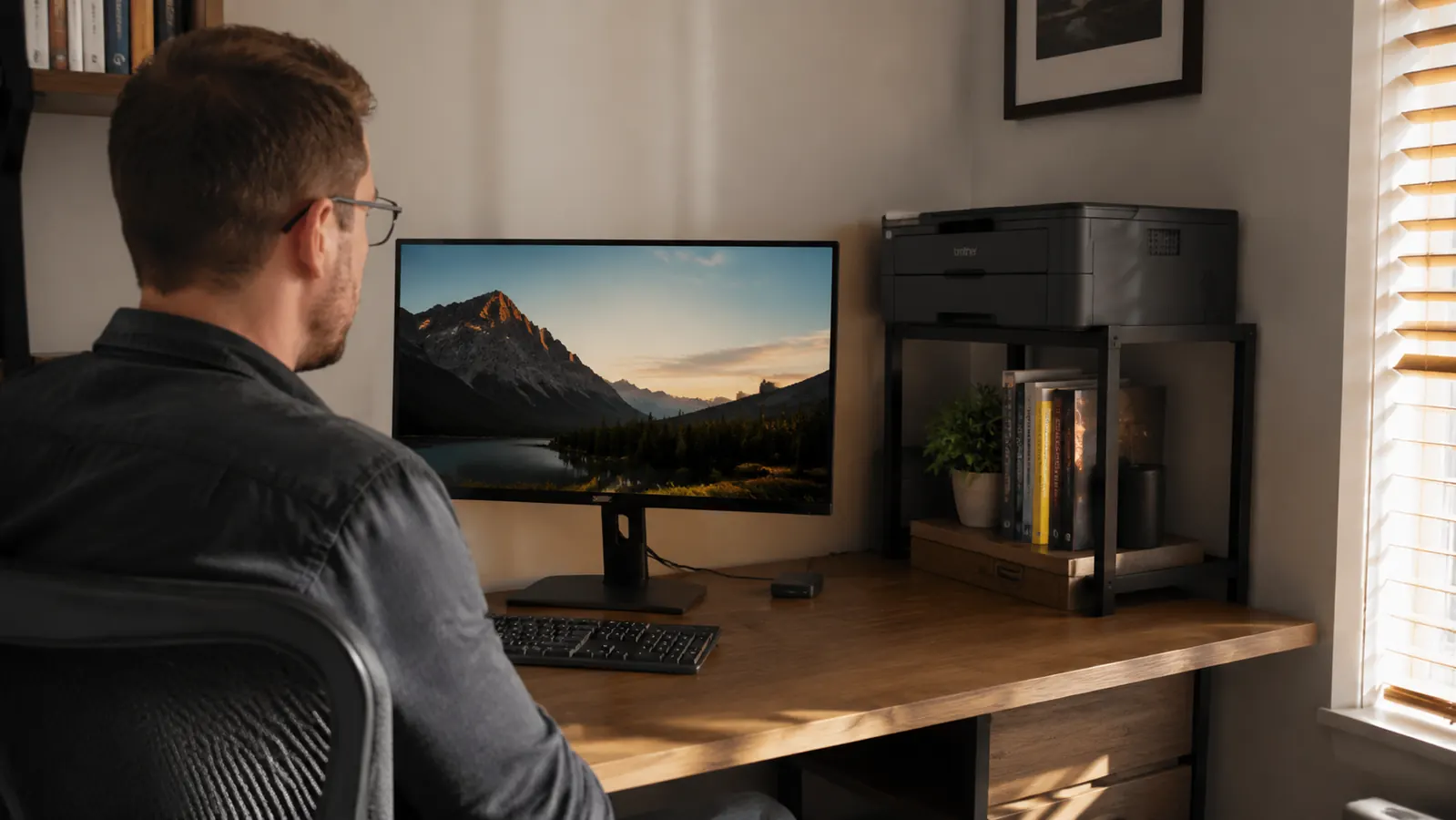
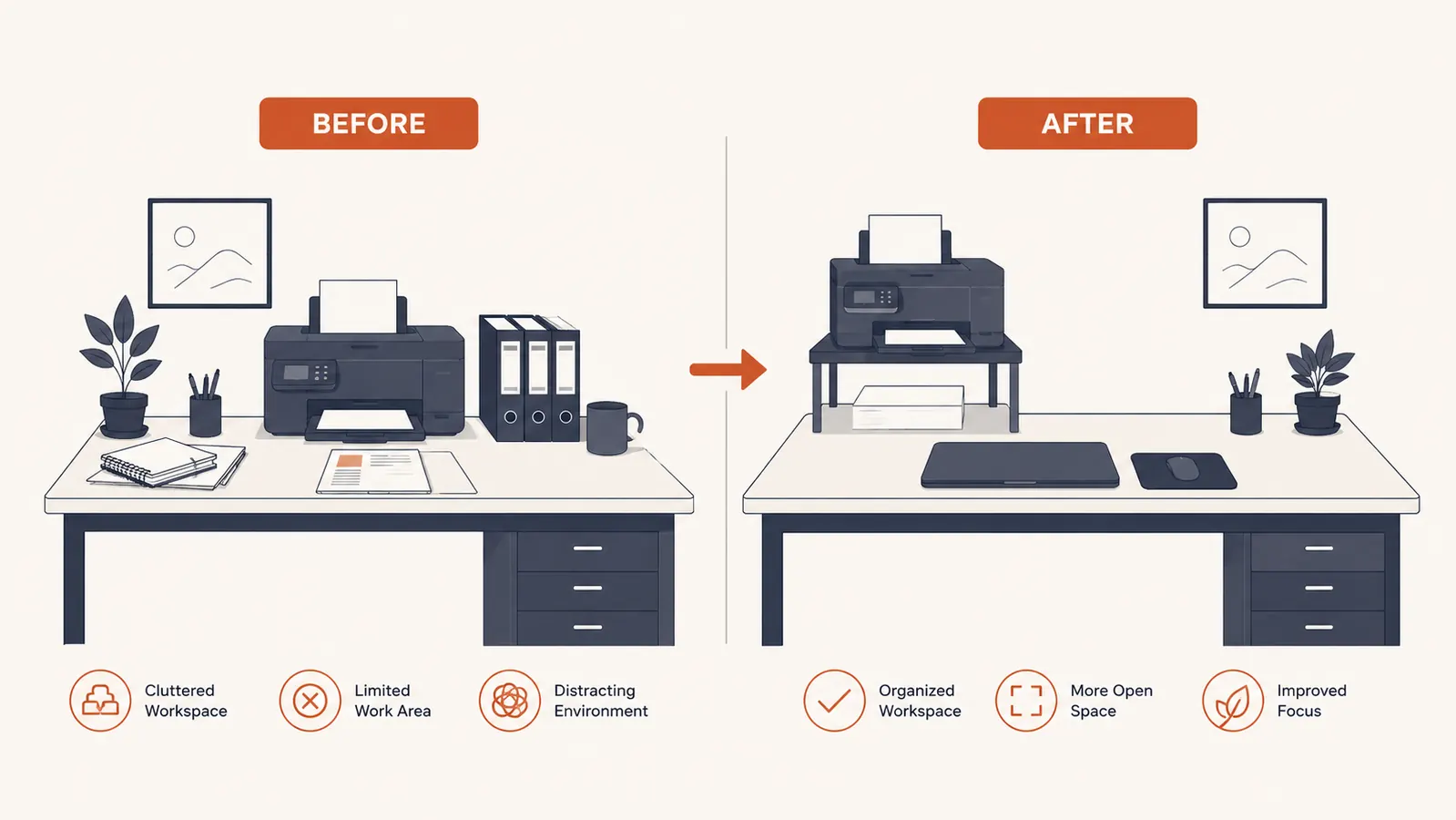
My home office is a converted spare bedroom, roughly 10 by 11 feet. I have a 55-inch L-shaped desk crammed against two walls, a 27-inch monitor, an external keyboard, a docking station, and until four months ago, a Brother laser printer sitting directly on the desk surface between my monitor stand and the wall. That printer took up roughly 15 inches of horizontal desk real estate. With a mug, a small lamp, and a spiral notebook, I was working in what felt like a cockpit. My elbows had maybe six inches of clearance on each side. Something had to move.
I looked at printer wall mounts (complicated), floating shelves (required drilling into plaster I was not touching), and purpose-built printer stands. The HUANUO printer stand with cable management and storage drawer kept appearing in searches at a price point that made the decision easy. I ordered it in late February 2026. It has been in daily use since. This review covers assembly, build quality, real-world cable routing, the drawer situation, and who I think should buy it versus who should keep looking.
The Quick Verdict
A genuinely well-thought-out printer stand for small home offices. The cable cutouts work, the drawer holds more than you expect, and the steel frame has not wobbled or flexed in four months. The assembly instructions are rough and the side panels scratch easily during build. Worth every dollar at this price.
Amazon Check Today's Price →Your printer is stealing desk space it does not need to occupy.
The HUANUO printer stand moves it off the surface, routes your cables, and adds a storage drawer for supplies. Check today's price before it ticks up.
Amazon Check Today's Price on Amazon →How I've Used It: Four Months in a Working Home Office
My Brother HL-L2350DW laser printer weighs about 15 pounds. I print client contracts, invoices, and the occasional shipping label. Not a heavy-use environment, maybe 30 to 50 pages a week, but the printer is on my desk every single day. The HUANUO stand sits on my hardwood floor next to the desk rather than on the desk surface itself. That distinction matters for anyone picturing this: it is a floor-standing unit roughly 12 inches tall, not a riser that sits on top of your existing desk.
Four months means the stand has been through seasonal temperature swings in my home office (no central air, a window unit), daily jostling when I open and close the drawer, and the occasional full paper ream dropped onto the top shelf. Nothing has cracked, bent, or come loose. I was genuinely skeptical given the price. I am less skeptical now.
During the first week I paid close attention to vibration when the printer ran. The stand does transmit some motor hum to the floor, but no more than you would get from the printer sitting on a hardwood desk. If you are on carpet, you will barely notice it. I am on hardwood and I noticed it once, then forgot about it.
Assembly: Where HUANUO Gets Honest Marks Taken Off
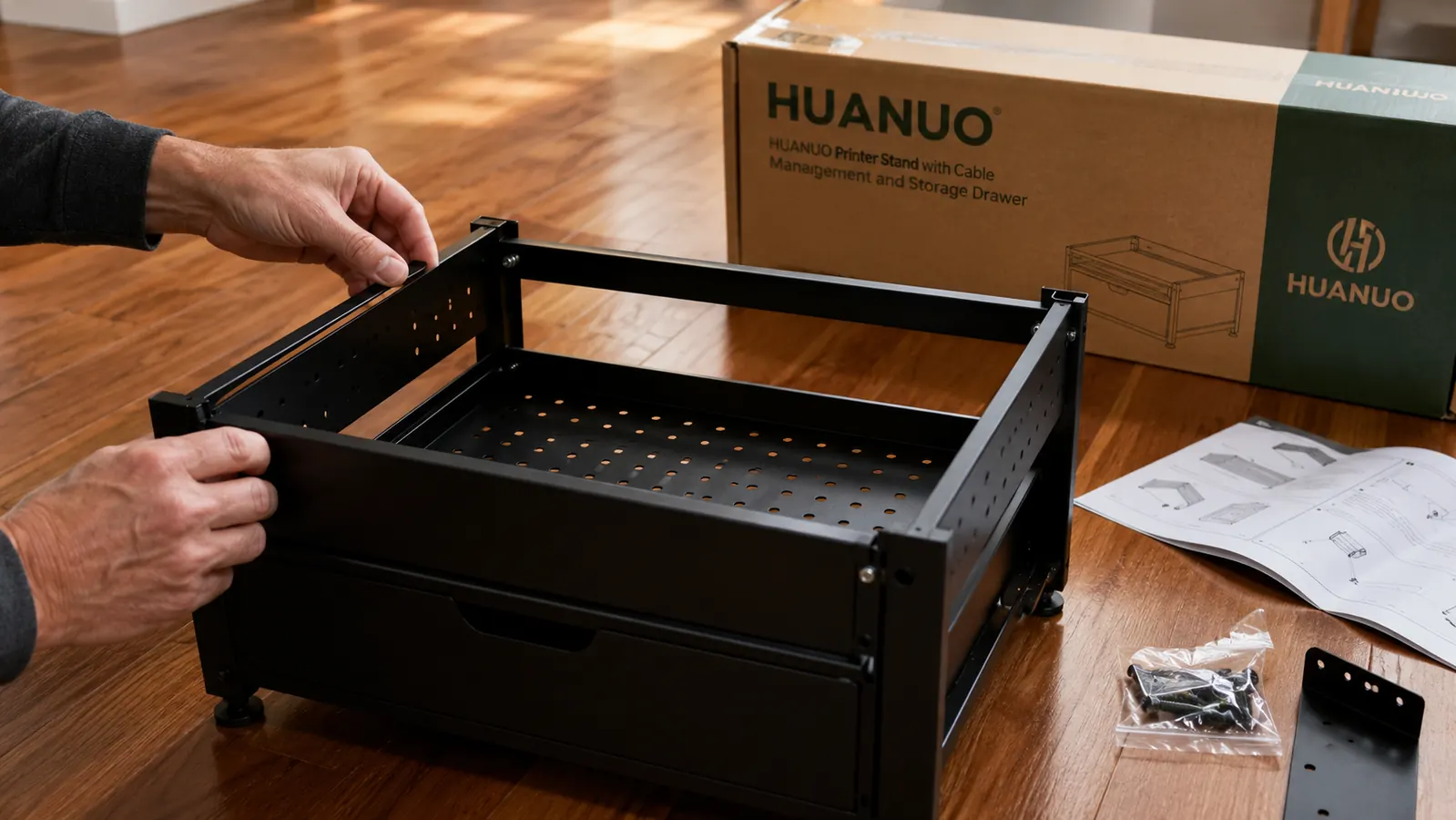
Let me be direct about this. The assembly instructions are a single sheet with line drawings that assume you know which panel goes where. I am reasonably handy and I still assembled one side panel backwards on the first pass. The fix was straightforward, but it required partially disassembling the frame and I picked up a small scratch on the side panel in the process. That scratch is visible if you look at the stand from the right angle. It bothers me slightly.
The hardware bag includes all the screws and a small hex wrench. No missing pieces, which is genuinely more than I can say for some furniture I have bought at much higher price points. Total time from box open to printer on stand was about 25 minutes on my second attempt. Give yourself 30 to 40 minutes if this is your first build and go slowly on the side panel orientation. There is a right side and a wrong side and they look almost identical.
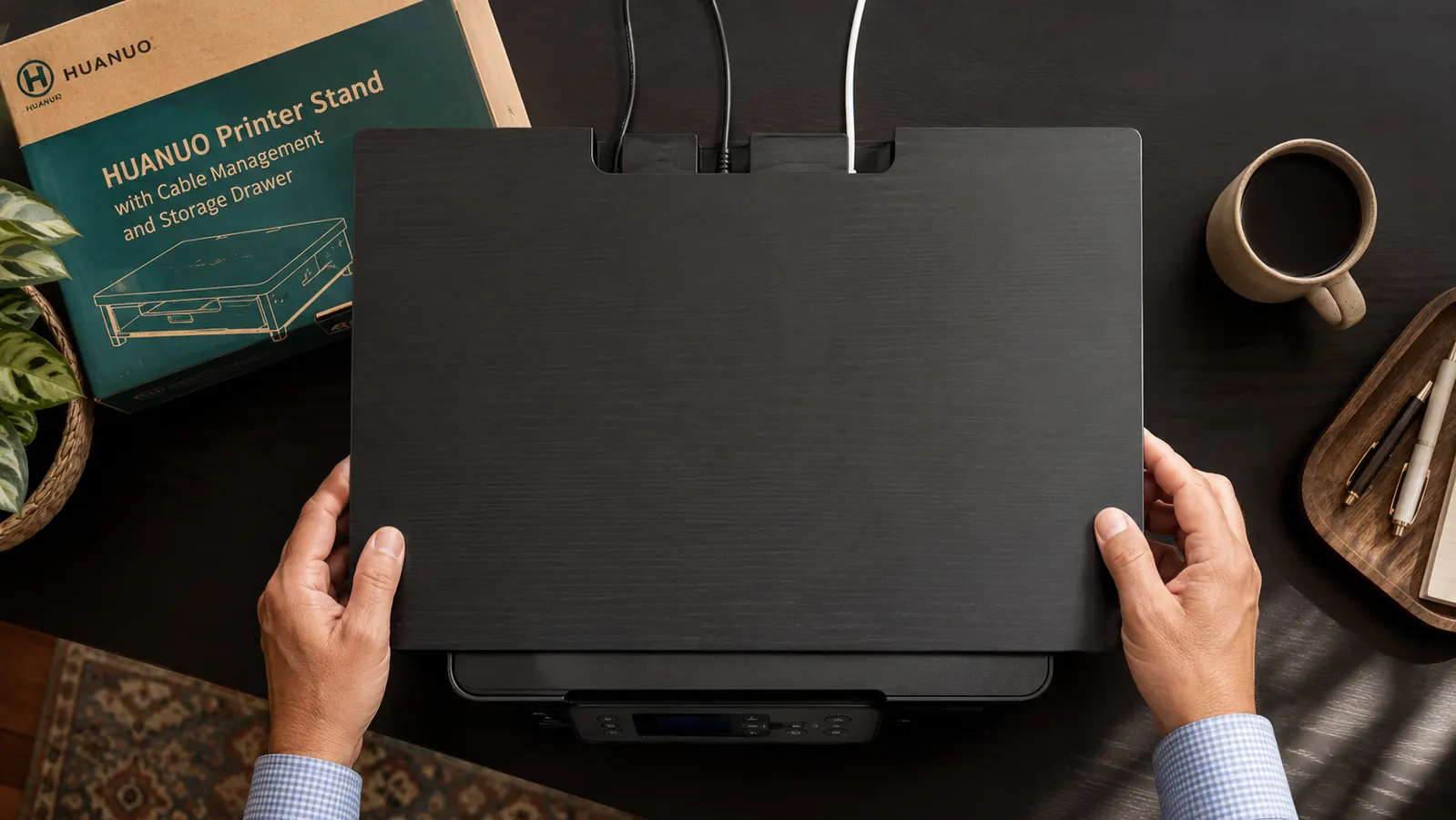
One note: the top surface has pre-drilled holes for the cable cutouts on the rear edge. These are clean and work exactly as advertised. My USB cable and power cord both exit through the rear and drop straight down inside the frame. From the front, you see a printer and a clean top surface. The cords are invisible. That single detail is worth more to me than any other feature on this stand.
The Cable Management Situation: Better Than Expected
I want to spend real time here because cable management is the feature that sold me and I have seen reviews that dismiss it as cosmetic. It is not cosmetic. The rear cable routing channels on this stand do three things that matter: they keep the cable run short and direct so you do not need a longer replacement cable, they prevent the cables from being compressed under the printer's feet, and they get the cords off the floor in the immediate area around the stand.
My setup runs a USB-A cable from the printer through the rear cutout, down the inside of the frame, and under my desk via a clip I added separately. The power cord takes the same path. The inside of the frame is open so there is no routing track per se, just a clear vertical channel. Some people will want a more formal cable management system for the stretch from the stand to the wall outlet. If you have a separate cable box for that run, the HUANUO stand hands off cleanly. I have a D-Line cable management box sitting about three feet away on the floor, and the two products work together without any awkward transitions.
From the front you see a printer and a clean top surface. The cords are invisible. That single detail is worth more to me than any other feature on this stand.
The Storage Drawer: More Useful Than It Looks
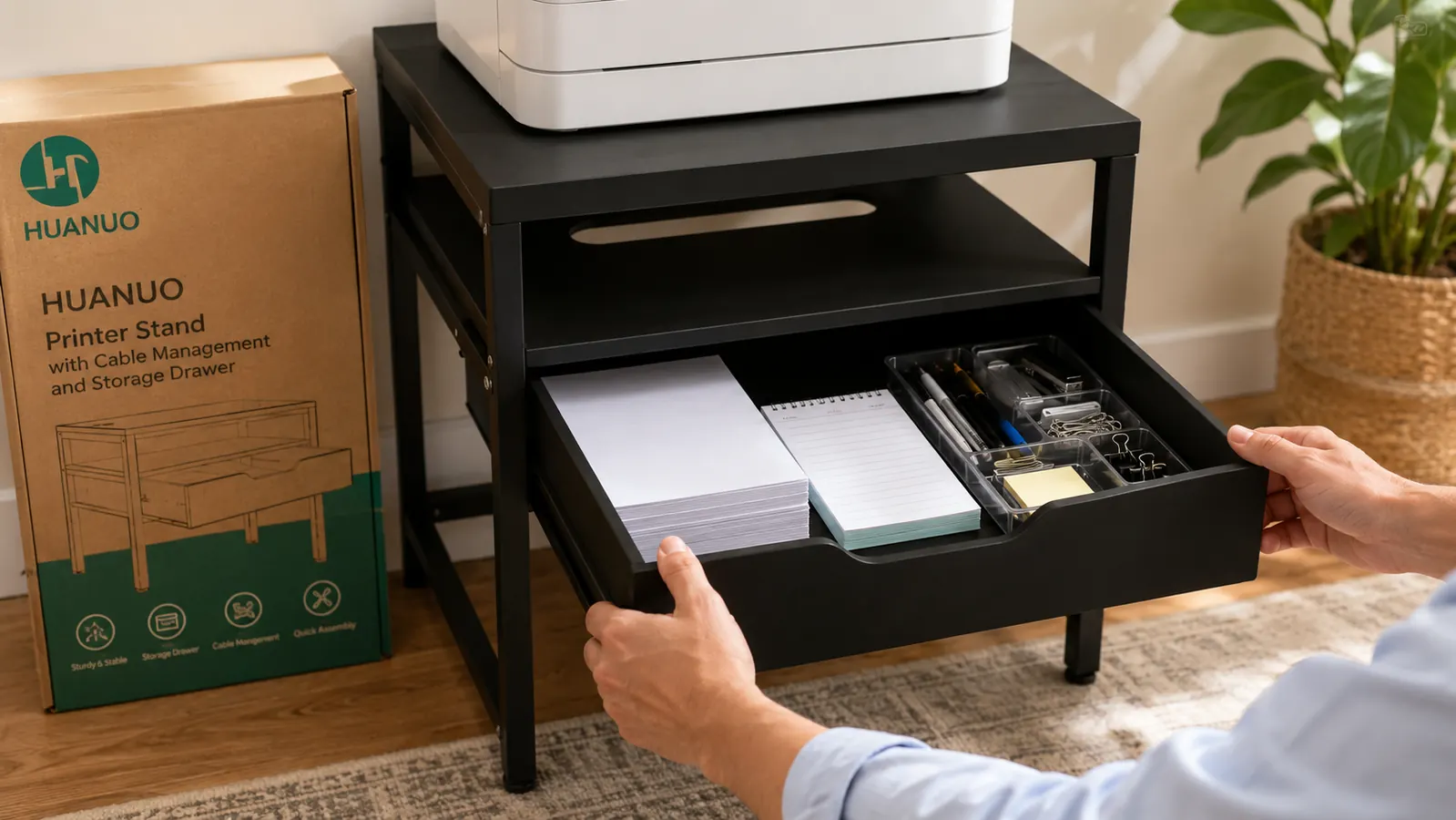
The drawer is the sleeper feature. When I ordered the stand I thought of the drawer as a bonus, something to dump a few pens into. Four months later the drawer is holding: one full ream of standard copy paper (500 sheets), a stapler, a tape dispenser, a USB-A to USB-B printer cable backup, and a box of paper clips. The interior dimensions are roughly 15 by 12 by 3 inches based on my tape measure. It fits more than the product photos suggest.
The drawer slides on basic rails and has some side-to-side play. It is not a precision furniture drawer and the slide is a bit loose, but it has never popped out on its own and it closes fully every time. If you are used to ikea-quality drawer glides, this is a step below that. If you are used to shoebox-style cheap organizers, this is a step above. For a printer stand at this price, it is exactly what it needs to be.
One practical note: the drawer is not lockable. If you have young kids or pets that investigate desk furniture, know that the drawer will be opened and its contents redistributed. This is not a HUANUO flaw; it is a standard feature of budget storage at this price point. Just worth knowing before you store anything sensitive.
Build Quality and Load Capacity: Four Months of Real Data
The stand is steel with a powder-coated matte black finish. The finish has held up well except for the scratch I mentioned during assembly, which was my fault. There are no rust spots, no peeling, and the color has not faded under the fluorescent light in my office. The welds at the frame corners feel solid. I have pushed on them with my thumbs at the joints and nothing flexes.
HUANUO lists the weight capacity at around 55 pounds for the top surface. My Brother printer weighs 15 pounds and I have put a full ream of paper on top beside it without any sag or wobble. I would not stack a second printer on this or use it as an actual equipment rack. For a single home office printer plus some paper, you are well within the design limits.
The one structural complaint I have heard from other buyers, and that I watched for, is frame racking, the tendency of a rectangular metal frame to lean slightly to one side when weight is applied asymmetrically. After four months, my stand is level. I check it with a phone level app every few weeks out of mild paranoia. It has not drifted.
What I Liked
- Cable cutouts on the rear edge genuinely hide both the USB and power cord from view
- Drawer holds a full ream of paper plus small supplies, which is more capacity than the photos suggest
- Steel frame has shown zero flex, racking, or wobble in four months of daily use
- Powder coat finish has held up without rust, peeling, or color fade
- All hardware included, no missing pieces, hex wrench in the bag
Where It Falls Short
- Assembly instructions are poor: one side panel is easy to install backwards and you will not notice until the second panel refuses to attach
- Side panels scratch during assembly if you are not careful about setting them down on a soft surface
- Drawer slide has noticeable side-to-side play and is not precision quality
- No cable routing track inside the frame, just an open channel, so you will want cable clips to finish a tidy run to the wall
Who This Is For
This stand was made for people with a small or medium home office where a printer on the desk is costing real working surface. If your office is a bedroom, a converted closet, a corner of the living room, or a compact dedicated space, the HUANUO stand solves a real problem for a small amount of money. It is also right for anyone who wants to consolidate paper, printer supplies, and cables into one organized spot rather than having them spread across multiple surfaces. The combination of the top shelf, the storage drawer, and the cable routing channels does a lot of organizational work in a small footprint.
Hybrid workers who are in video calls throughout the day will appreciate the visual clean-up more than they expect. Moving the printer off the desk and onto a stand behind or beside the desk means it no longer appears in your camera frame. That alone matters for professional optics. And the cable cleanup means no cords snaking across the back of your desk in the background shot.
Who Should Skip It
If you have a heavy printer, over 40 pounds, check your specific model's weight before buying. Most home laser printers and inkjets fall well under that, but large multifunction devices can push past it. If you are running a true heavy-duty office printer, this stand is not built for it.
If you need the printer at or near desk height for frequent paper loading or scanning, a floor-level stand may feel inconvenient. The top of the stand sits at about 12 to 13 inches from the floor, which puts your printer's paper tray at roughly mid-shin height when you are standing. I pull paper from the drawer, load it into the printer, and reach down slightly. It does not bother me, but I can see it annoying someone with mobility concerns or someone who loads paper 20 times a day. If your workflow involves constant paper handling while seated, consider whether you can position the stand to the side of the desk at a reachable angle rather than directly behind.
Finally, if you want matching wood-grain furniture or a premium finish that integrates with a high-end desk setup, the matte black powder coat on this stand is clean but utilitarian. It does not look expensive. For a workspace where aesthetics matter as much as function, you would want to budget more.
Alternatives I Considered
Before settling on the HUANUO, I priced out a basic open printer shelf in the same category (no drawer, just a two-tier open shelf). The shelf was a few dollars less. What it lacked: cable routing cutouts, a drawer, and any side panels to hide the interior. Looking at the two options side by side, the HUANUO felt like a complete product and the basic shelf felt like a parking spot. If you want a deeper look at how those two compare, see my comparison piece on the HUANUO printer stand versus a basic printer shelf. For a look at how to tie the whole desk cord cleanup together into one system, the guide on organizing your printer and cables on a small desk walks through exactly how I arranged everything.
Ready to get your printer off the desk and your cords under control?
The HUANUO stand with drawer is the most complete cable management and storage solution I have found at this price. Check today's price on Amazon before buying anything else in this category.
Amazon Check Today's Price on Amazon →